
NTLM (NT LAN Manager) is an authentication protocol developed by Microsoft for verifying user identities in Windows environments. It is mainly used in older Windows systems and legacy applications. NTLM works by using a challenge–response mechanism instead of sending passwords in plain text. This helps reduce the risk of password exposure during authentication. NTLM is commonly found in local networks and internal enterprise systems. Although it has security limitations, it is still supported for compatibility reasons.
NTLM authentication begins when a client requests access to a server. The server responds with a random challenge value. The client then encrypts this challenge using the user’s password hash. The encrypted response is sent back to the server for verification. If the response matches the expected value, access is granted. This process allows authentication without directly transmitting the password.
Using NTLM usually happens automatically within Windows-based systems. Users simply log in using their username and password. The operating system handles the NTLM authentication process in the background. Administrators may configure NTLM settings through group policies. NTLM can be used for local authentication or within a domain environment. In most cases, users do not interact with NTLM directly.
The main function of NTLM is to authenticate users and control access to system resources. It ensures that only authorized users can access files, services, and applications. NTLM supports single sign-on in certain scenarios. It also provides basic protection against replay attacks. However, it does not support modern security features like mutual authentication. This limits its effectiveness in high-security environments.
From a security perspective, NTLM is considered less secure than newer protocols. It is vulnerable to attacks such as pass-the-hash and relay attacks. Because of these risks, Microsoft recommends using Kerberos instead of NTLM when possible. NTLM is mainly kept for backward compatibility. Understanding NTLM helps security professionals identify legacy risks. Overall, NTLM remains an important concept in Windows authentication history.
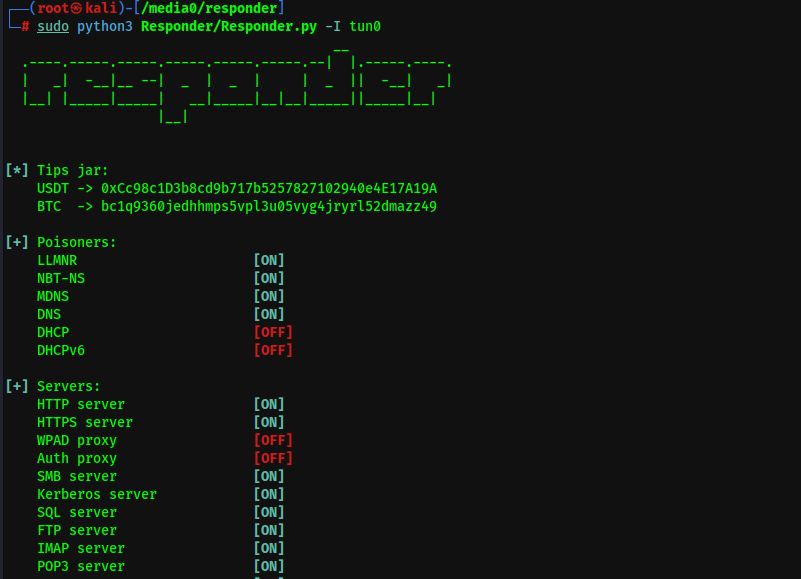
NTLM has a strong connection with an attack and analysis tool called Responder, which is commonly used in network security testing. Responder is designed to listen on a local network and respond to authentication requests made using NTLM. When a Windows system attempts to authenticate to a service that does not exist, it may automatically fall back to NTLM. Responder exploits this behavior by pretending to be the requested service. As a result, it can capture NTLM authentication data from the client. This makes NTLM a key target in many internal network attacks.
Responder works by poisoning name resolution protocols such as LLMNR, NBT-NS, and MDNS. When a victim machine sends a request, Responder replies and forces an NTLM authentication attempt. The NTLM hash sent during this process can be captured by the tool. These captured hashes can then be cracked offline or relayed to another service. This attack does not require knowing the user’s actual password. It only relies on weaknesses in NTLM and network configuration.
The main security lesson from the NTLM and Responder connection is the risk of legacy authentication protocols. NTLM’s lack of mutual authentication makes it vulnerable to interception and relay attacks. Tools like Responder demonstrate how attackers can abuse these weaknesses in real environments. Disabling unused name resolution protocols and limiting NTLM usage can reduce this risk. Using stronger authentication methods such as Kerberos is strongly recommended. Understanding this relationship is essential for improving Windows network security.